

FLUTTER & DART • GPS CAMERA & APK
GeoTrack
GeoTrack - Capture. Locate. Document. A clean, ad-free GPS camera mobile application developed by the Vibe2Code Team for location stamping, photo organisation, local storage, and field documentation notes.
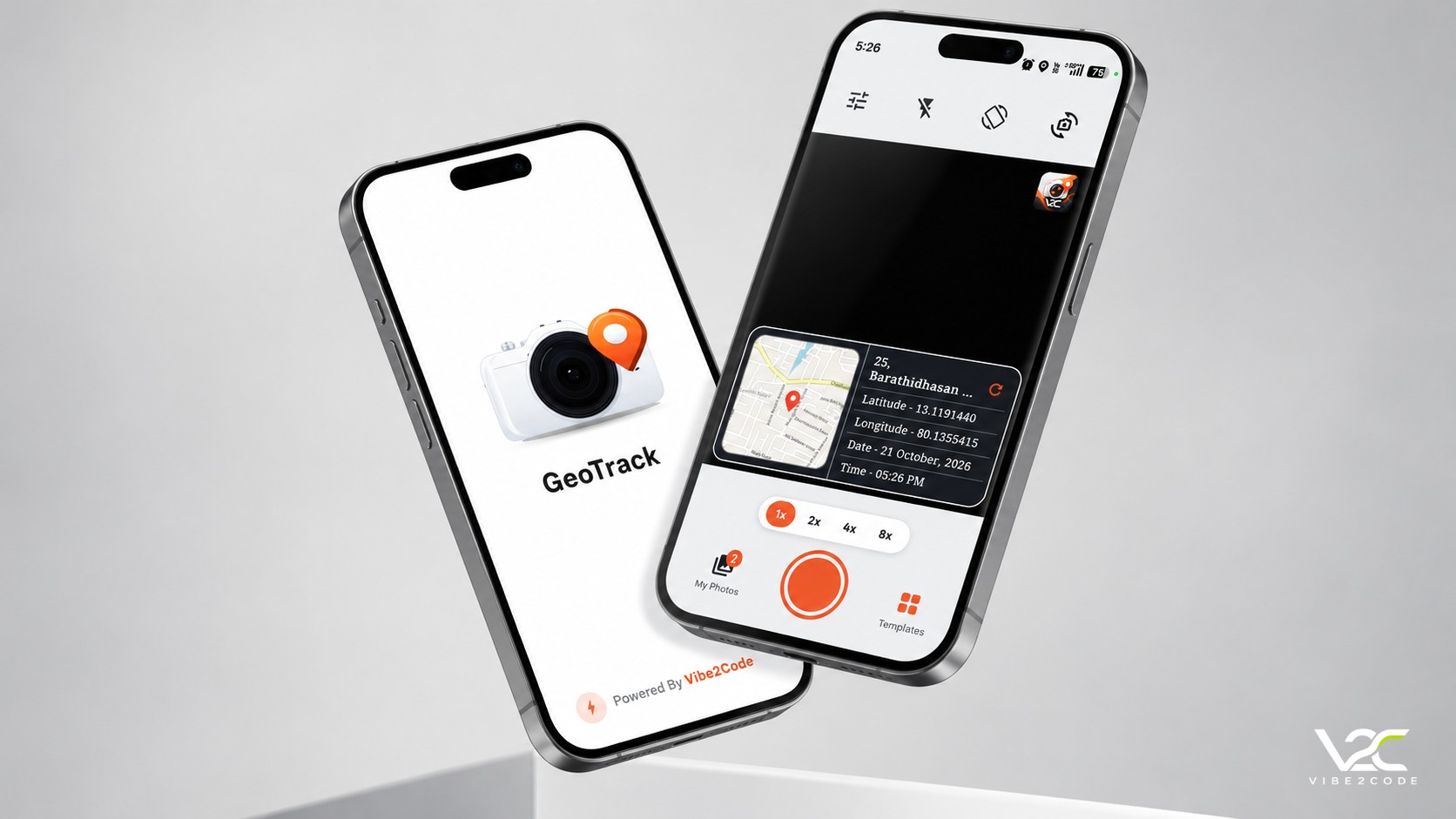
GeoTrack is a clean, ad-free GPS camera mobile application developed by the Vibe2Code Team.
Unlike many GPS camera apps that rely on advertisements, GeoTrack offers a clean, ad-free experience focused on what matters most: capturing location-stamped photographs, viewing and managing your albums locally, and adding custom remarks and notes for documentation.
GeoTrack is continuously evolving. The Vibe2Code Team welcomes your feedback as we work to make the experience better.
GeoTrack — Capture. Locate. Document. Developed by the Vibe2Code Team.
Android Mobile (APK)
v1.0.0
19.7 MB
100% On-Device SQLite
1. Capture
Open GeoTrack, allow camera and location permissions, wait for location information, and capture your photograph.
2. View Photos
Open My Photos to browse, preview, and manage your GeoTag photographs.
3. Organise & Share
Sort photos, organise albums, and share your photographs with colleagues or faculty.
4. Add Remarks & Notes
Add personal notes or remarks to your photographs for future reference, documentation, and identification.
Ad-Free by Design
Unlike many GPS camera apps that rely on advertisements, GeoTrack offers a clean, ad-free experience focused on what matters most.
Clean UI & Focused Workflows
Simple, focused, and intuitive controls designed specifically for field inspections, faculty reporting, and quick capture.
Local Storage & Privacy
Convenient on-device access to saved photographs with embedded telemetry, zero cloud lock-in, and offline reliability.
Essential Features
Location stamping and photo management in one seamless application. More updates on the way as GeoTrack continuously evolves.
Visual Showcase
Ad Free: No advertising interruptions or intrusive banners
Clean UI: Simple, focused, and easy to use interface
Local Storage: Convenient offline access to saved photographs
Essential Features: Location stamping & photo management in one app
Remarks & Notes: Add context & important information to photos
Organise & Share: Sort photos, manage albums & share with colleagues or faculty
Download Android APK
Get the direct, official APK build for Android. Zero cloud telemetry, 100% offline-ready, and optimized for field inspections.
Security & Trust Guarantees
Built with Android Keystore v2+v3 signature scheme directly by the Vibe2Code team. Guarantees binary integrity with zero tamper risk.
Contains no advertising SDKs, no behavioral trackers, and no background telemetry. 100% private with local SQLite database.
Meets Google Play Protect standards and scoped storage guidelines, requesting only essential camera and location permissions.
Verify the cryptographic checksum before installation to ensure your downloaded file matches our official compiled release bit-for-bit.
How to Install APK on Android
Tap the 'Download APK' button above. Your browser will download the verified 'GeoTrack_v1.0.0_release.apk' file directly to your device.
If Android prompts you with a security alert, go to Settings > Security and enable 'Install unknown apps' for your browser or file manager.
Open the downloaded APK from your notification bar or Downloads folder, tap 'Install', and grant camera and location permissions when prompted.